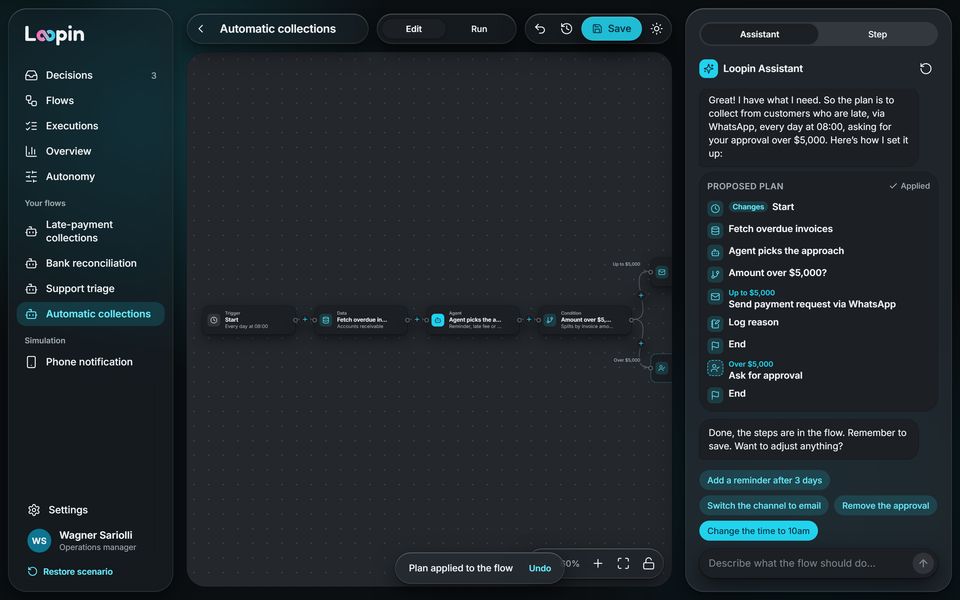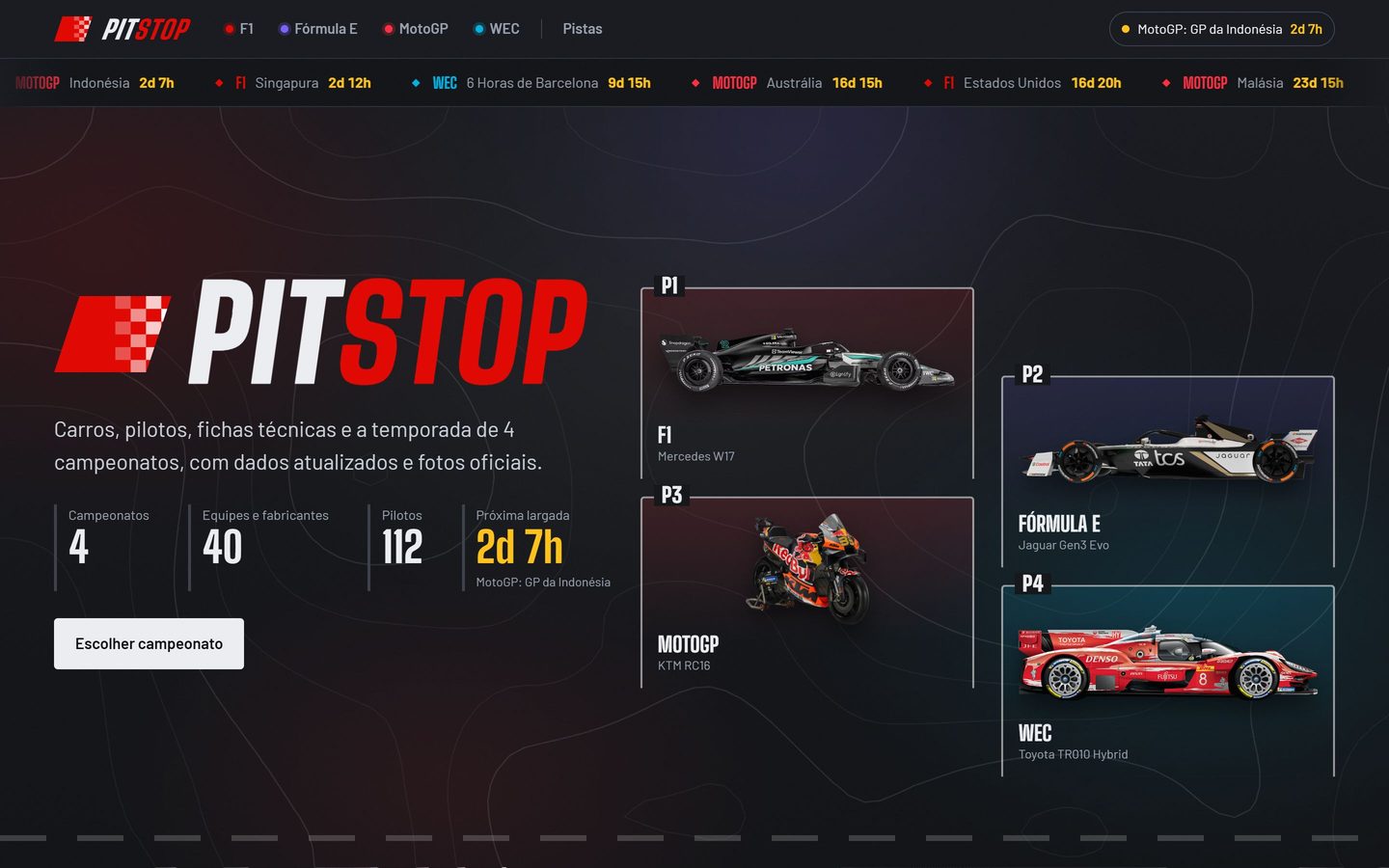
Overview
From an outdated design to a modern, easy-to-use system
KITT is a modular platform for task management and automation. It worked well, but its look had aged: I created a new design for the system, from the design system to the screens.
The problem
A working system, but with an outdated design that no longer kept up with the product or the people using it.
What I did
I created a new design, from the design system to the screens, that modernized the whole system.
The outcome
A more modern, clearer system that is easier to use day to day.
The solution
A redesigned system, from forms to automation
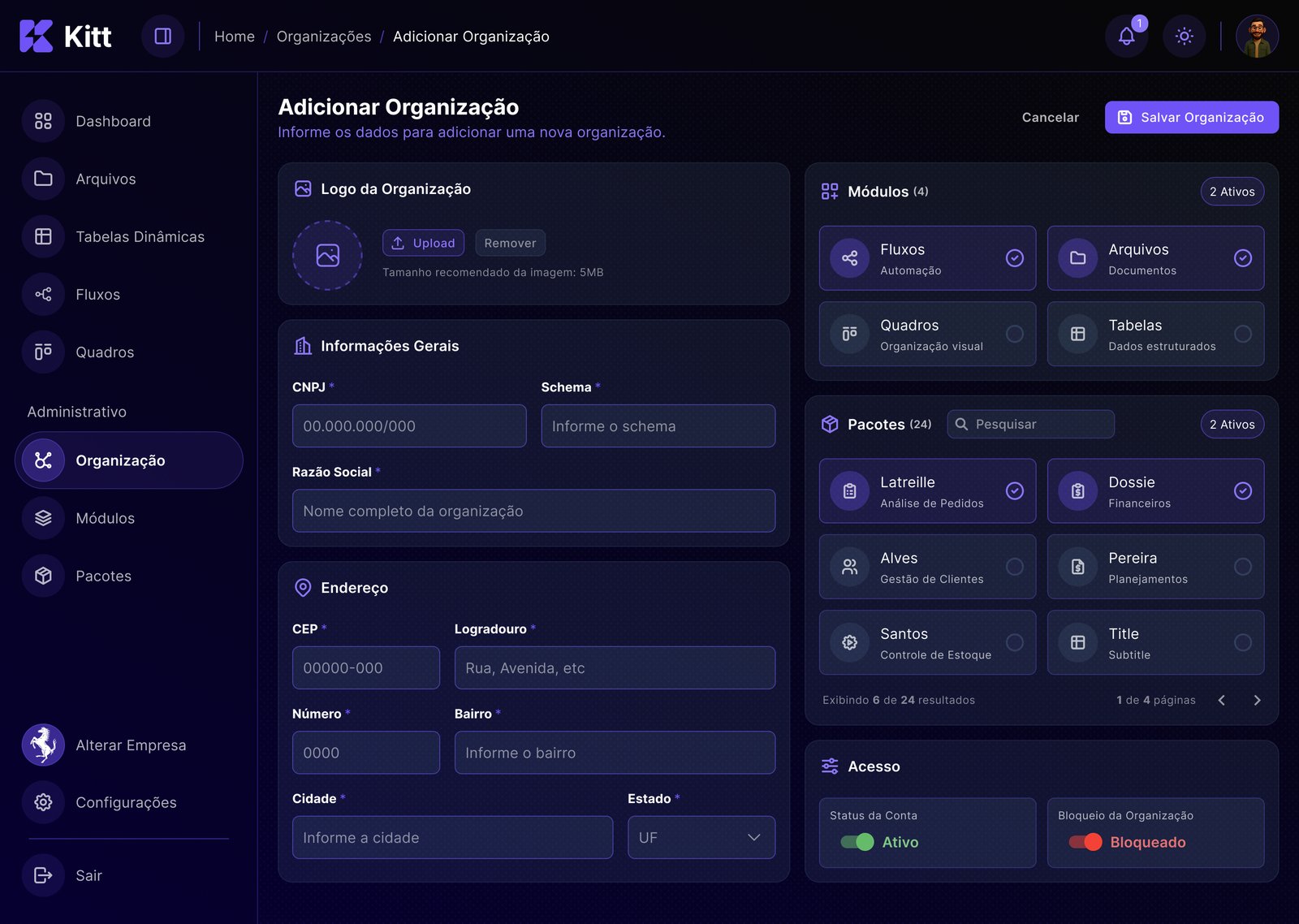
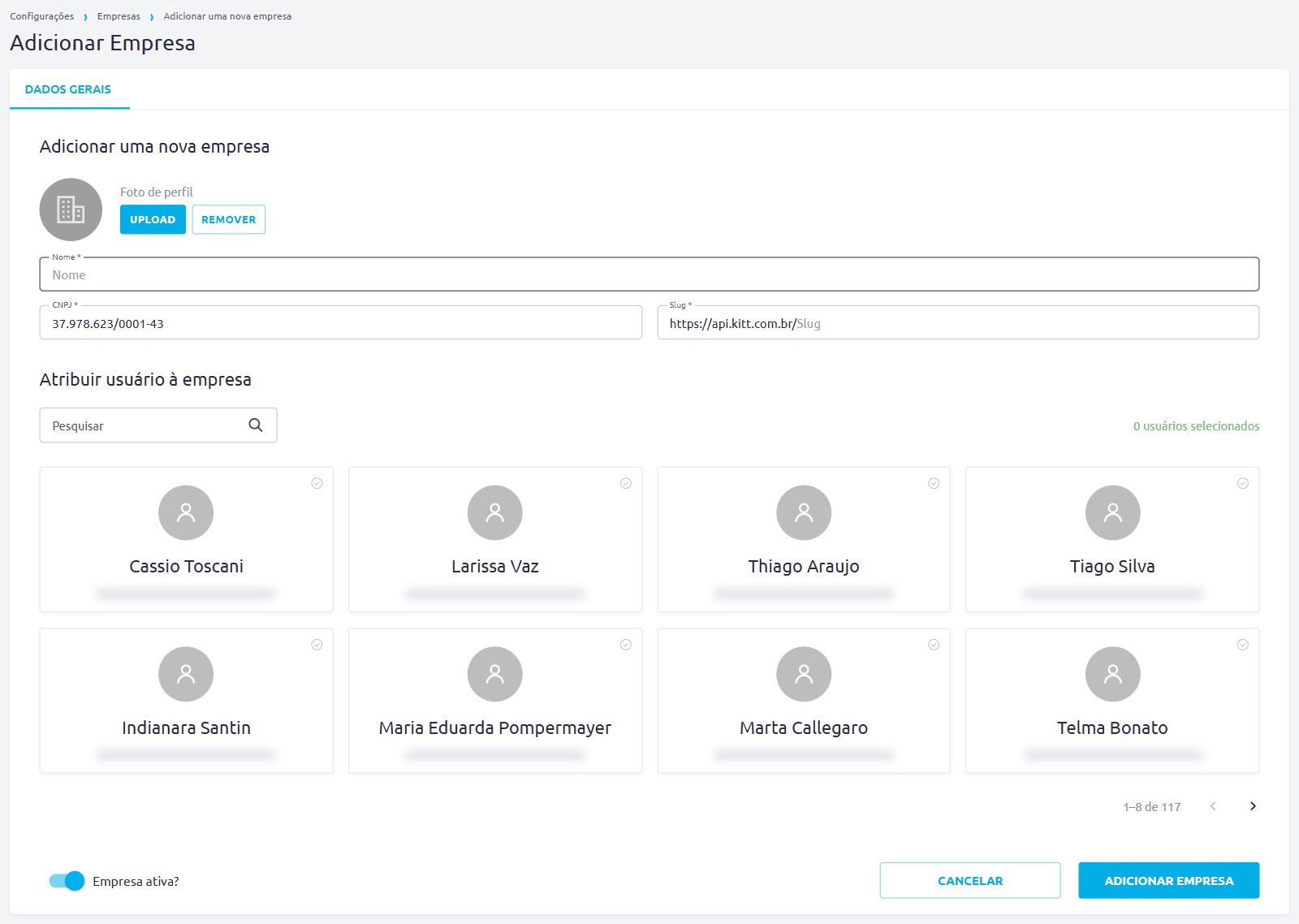
Old vs. new
Drag the bar and compare the same form: one dense form became clear sections.
- Information in sectionsbefore: one single form
- Clear hierarchybefore: everything at the same weight
- Supporting iconsbefore: text only
- Dark and light themesbefore: light only
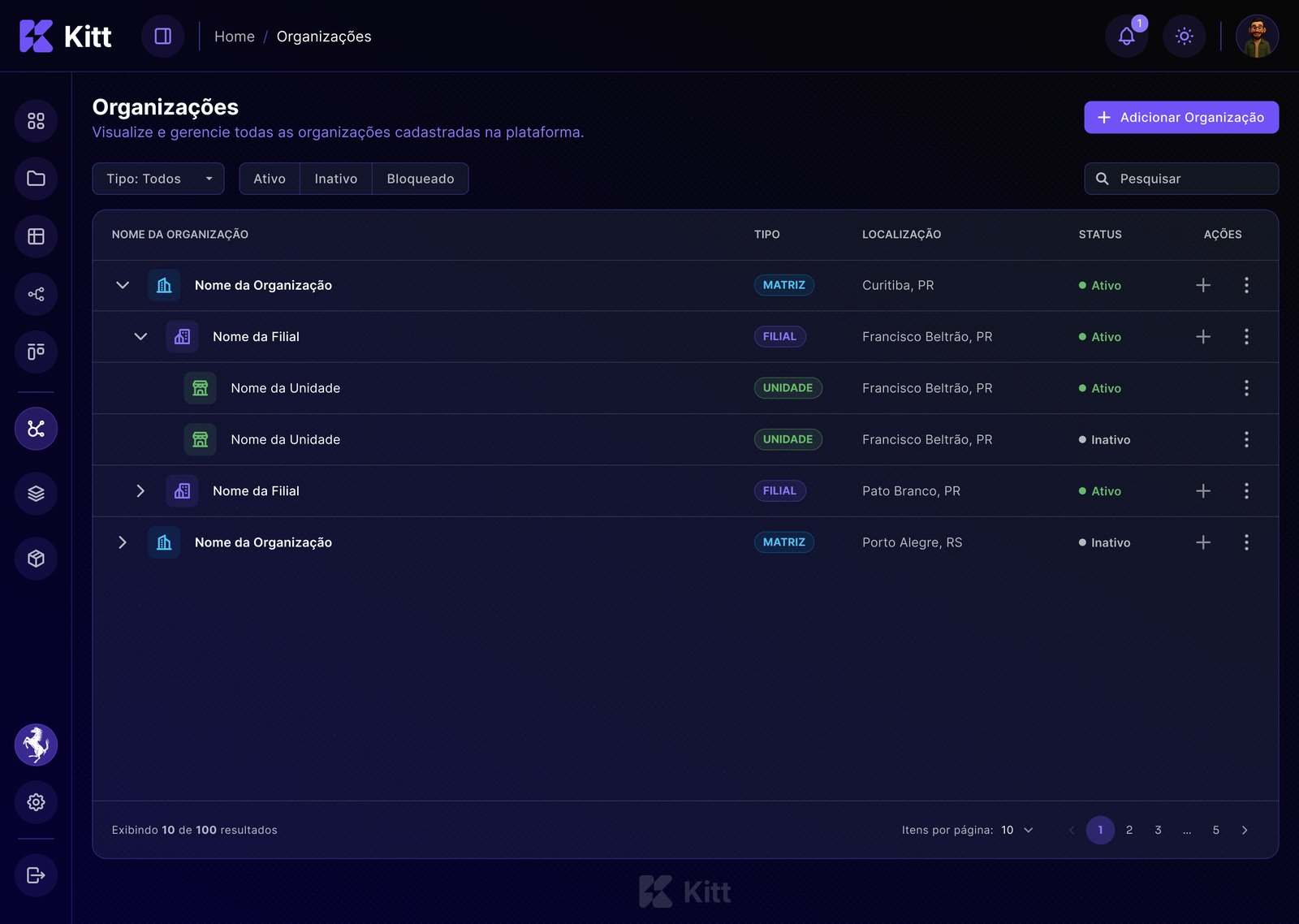
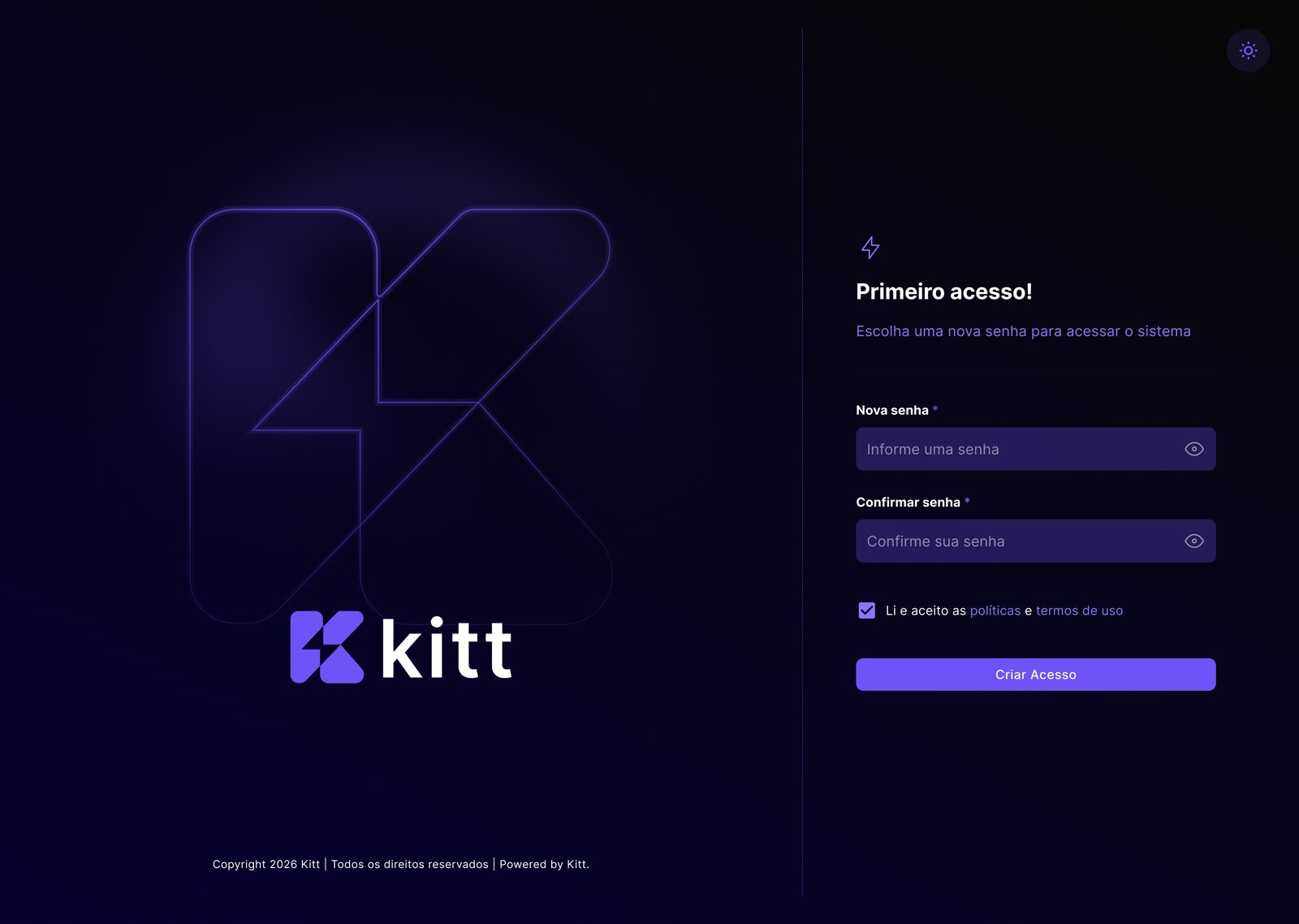
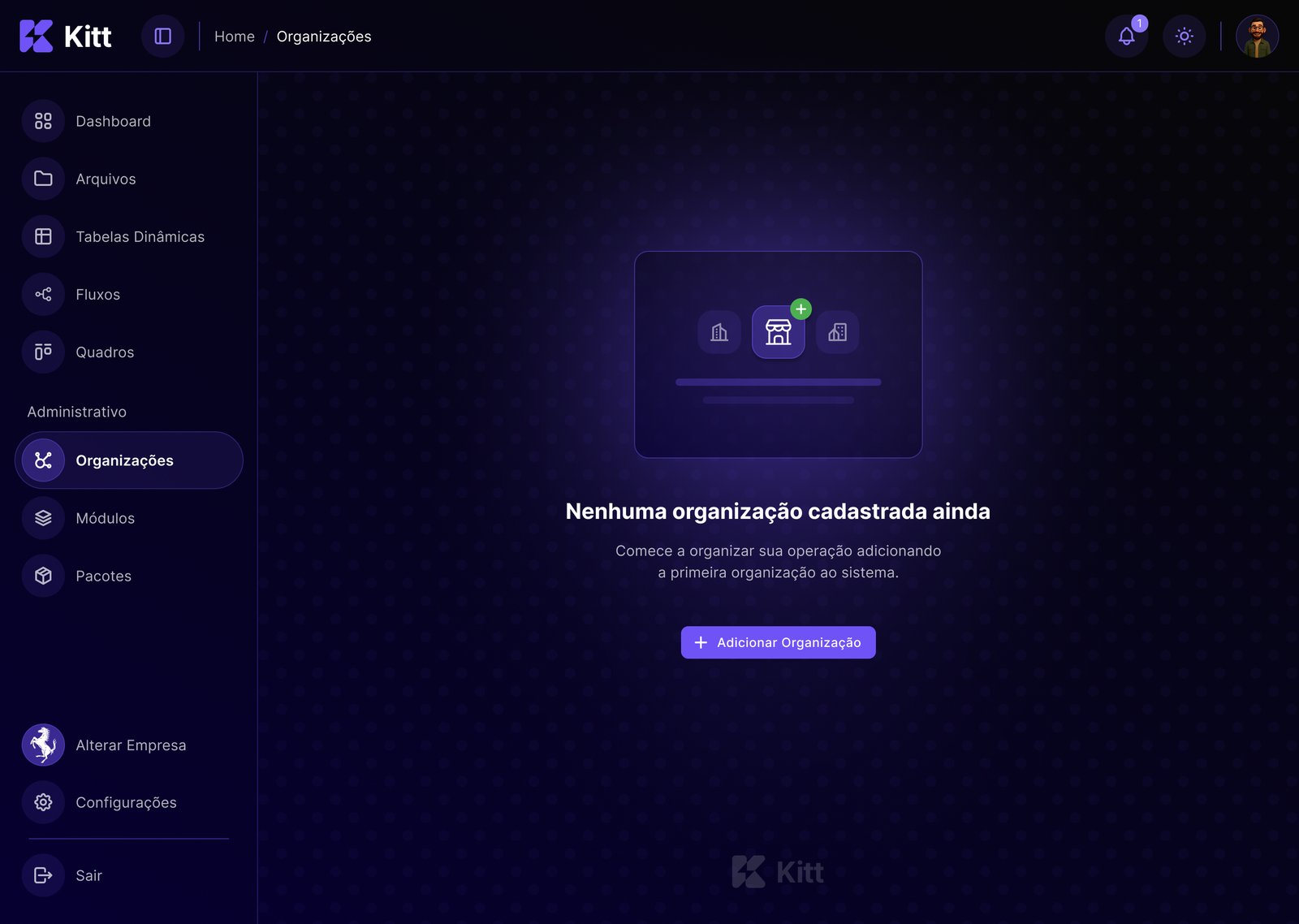
Everyday screens, in the new look
From the organization list, with its hierarchy in view, to the first access.
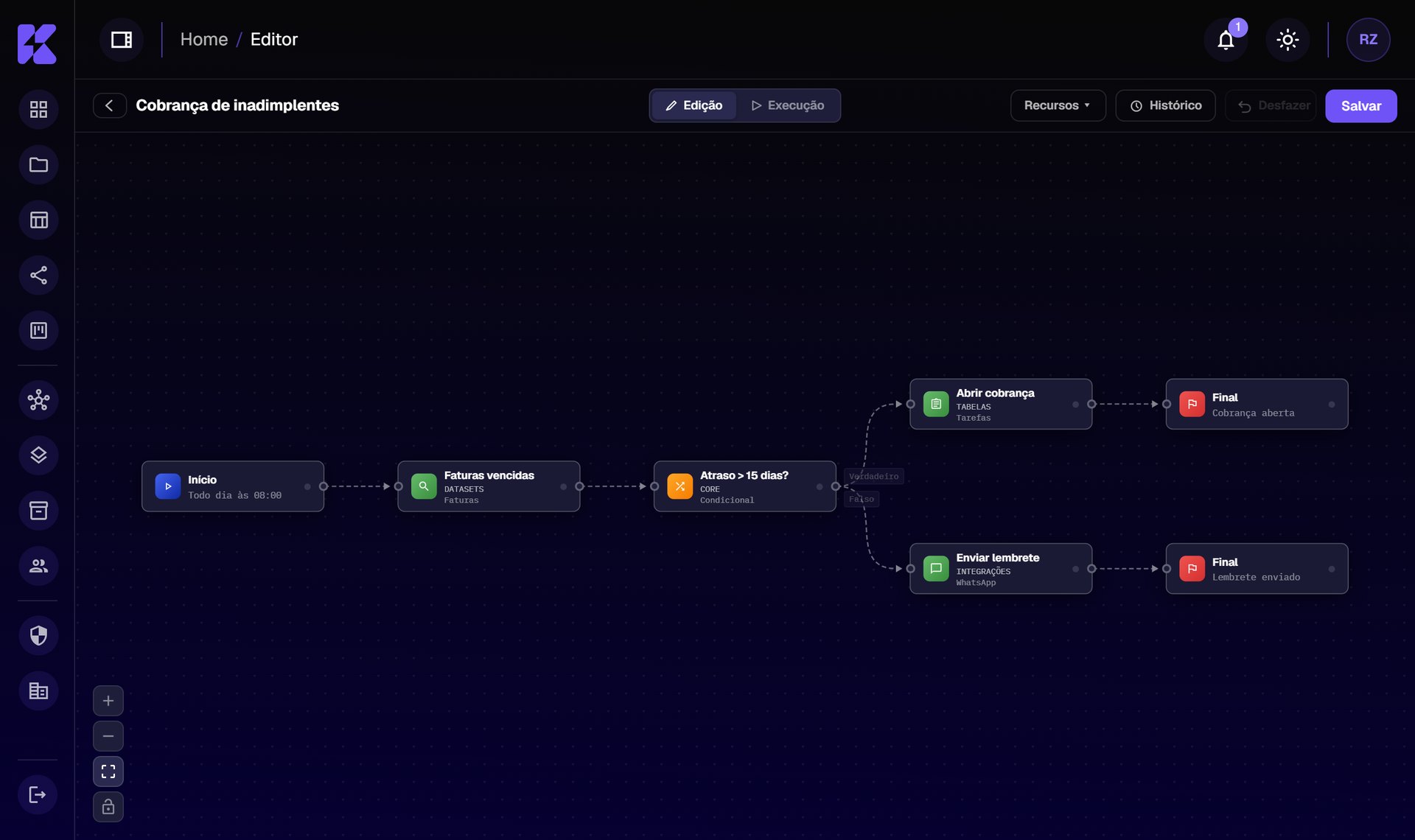
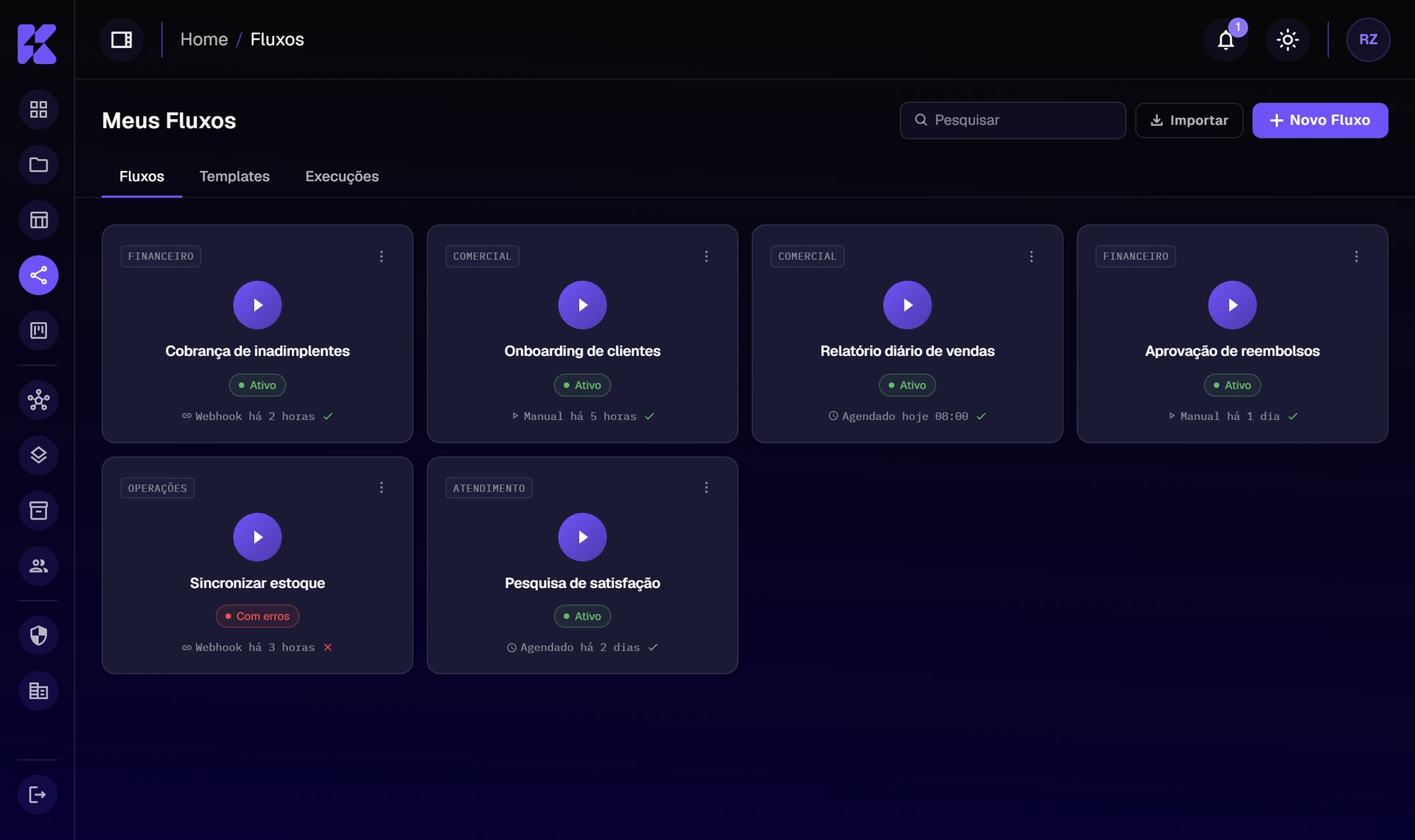
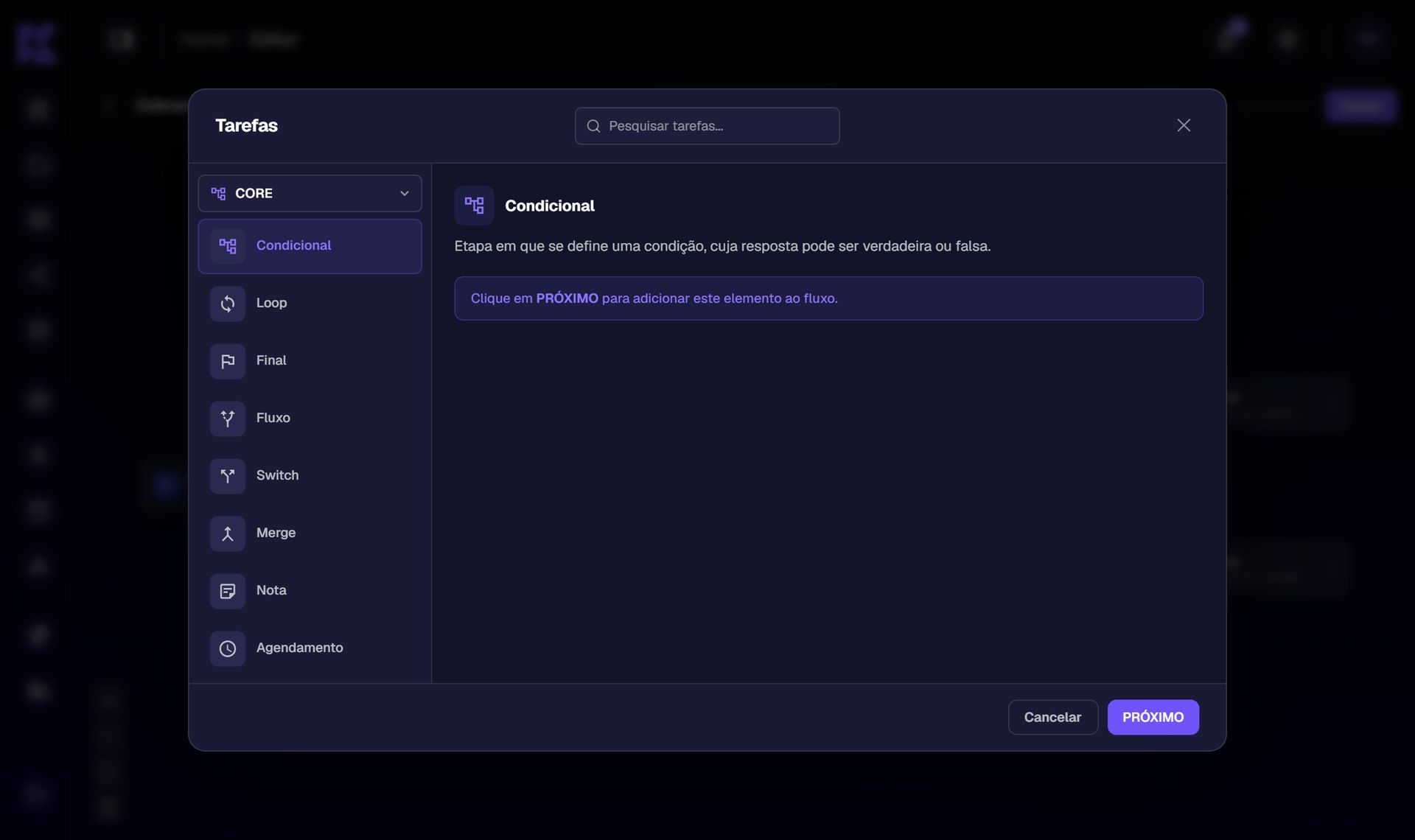
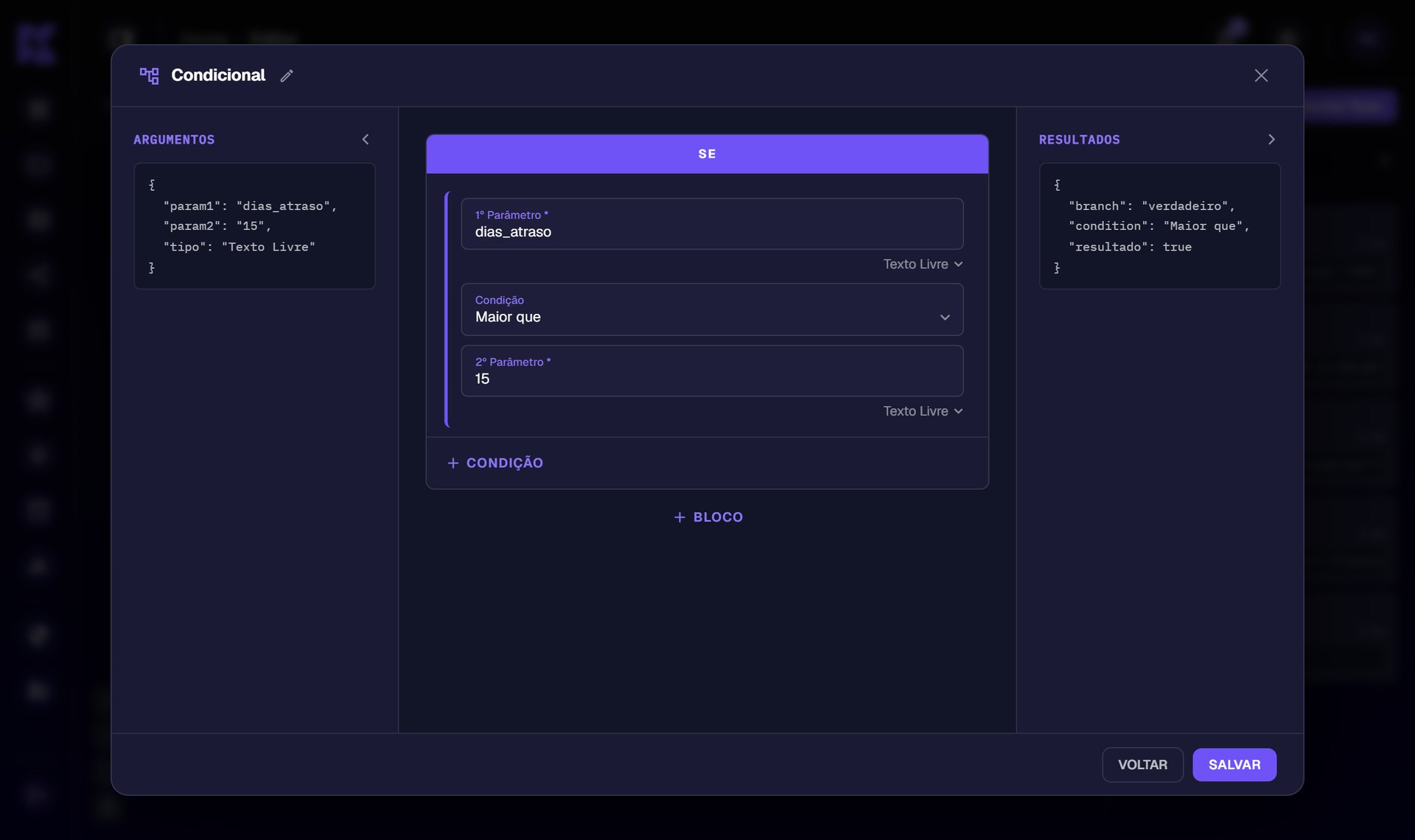
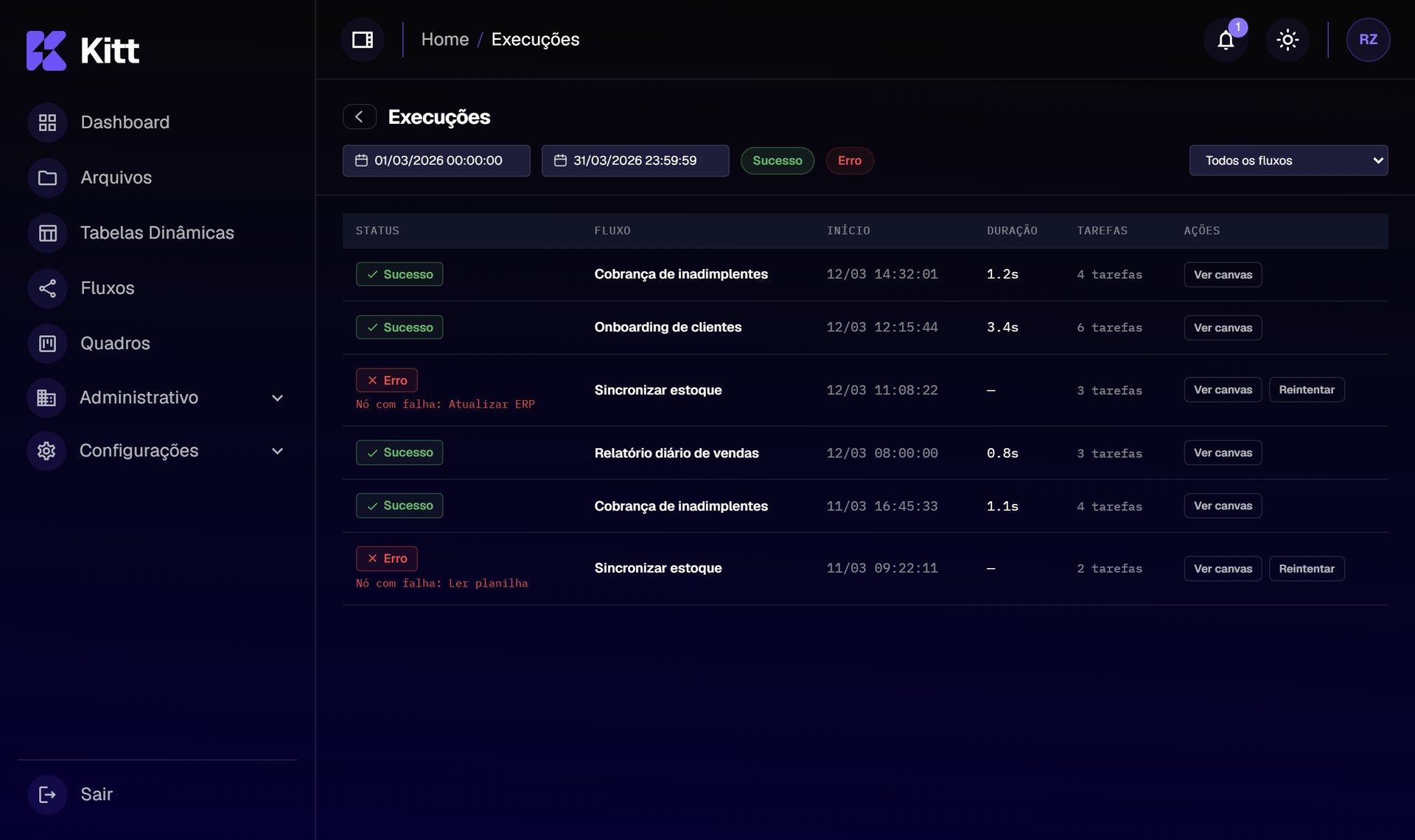
Automations built by dragging steps
In the Flows module, anyone connects steps on a canvas, without code, and they run on their own.
automations ready for the canvas
Organized in packages: pick one, set it up and follow every run.
Process
From problem to prototype
- UnderstandA review of the old screens to list inconsistencies and friction points.
- Map the flowThe path of every task, from start to finish, so no step was left out.
- DesignWireframes and early prototypes to settle the structure of each screen before the visuals.
- PrototypeHigh-fidelity prototypes that look and behave like the final product.
- Hand offA design package with everything defined, ready for hand-off. The result: the product up and running.
Impact
A modern system, ready for everyday use
- A modern look in place of the outdated design
- Clearer screens that are easier to use day to day
- Automations anyone can build, without writing code
- A complete design package that became the product up and running
Learnings
What this project taught me
- AI as a design toolWith Claude Code, I turned the design into working prototypes that behave like the real product. Instead of imagining how it works from static screens, the team tested the system running, and the path from idea to test got much shorter.
- Modernizing is more than a new lookAn outdated design isn’t fixed with new colors alone. I had to rethink how each screen organizes information so the system would actually be easy to use.
- Hide the complexity from the people using itAutomations have many rules behind them. The work was to keep on screen only what a person needs to decide, and let the rest happen out of the way.
Keep exploring
More work
More case studies, from management systems to apps. Drag sideways or use the arrows.