Overview
Complex automations, described in words. You just decide.
Loopin is an AI automation platform. People describe what they want in plain language, Loopin builds the flow and the agents do the work. The operator steps out of the routine and into the role of the one who decides, stepping in only when an action goes past the limit they set.
The problem
Building an automation still means knowing nodes, rules and parameters. And when an AI agent decides on its own, the operator loses track of what happened: they approve everything and babysit the robot, or approve on autopilot.
What I did
I created Loopin from scratch, from the brand to the design system and a working prototype, where one sentence becomes a flow and every agent decision arrives explained, in business language.
The outcome
A less overloaded operator: of the day’s 40 collections, 37 run on their own and only 3 ask for a decision, with the reason, the confidence and the way back in plain sight.
The solution
From a request in words to a decision in seconds
Describe the automation in words. Loopin builds the flow, the agents do the work, and you only step in to decide.
- You describeIn plain language, your way: what to do, through which channel, when, and how far the agent may go.
- The agents do the workLoopin builds the flow and the agents handle the routine, logging the reason for every action.
- You decideOnly what goes past the limit reaches you, explained, to approve, correct or undo.
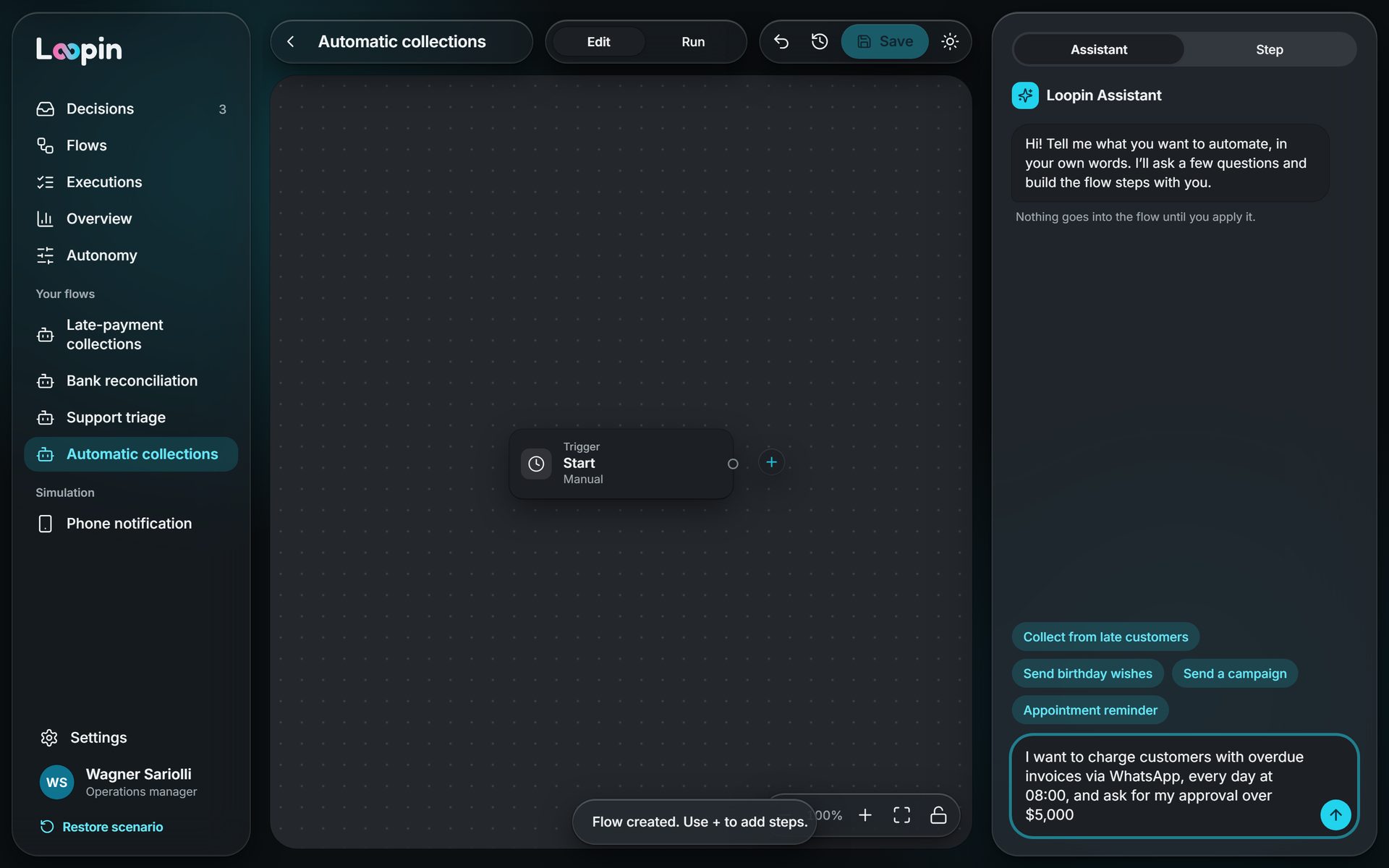
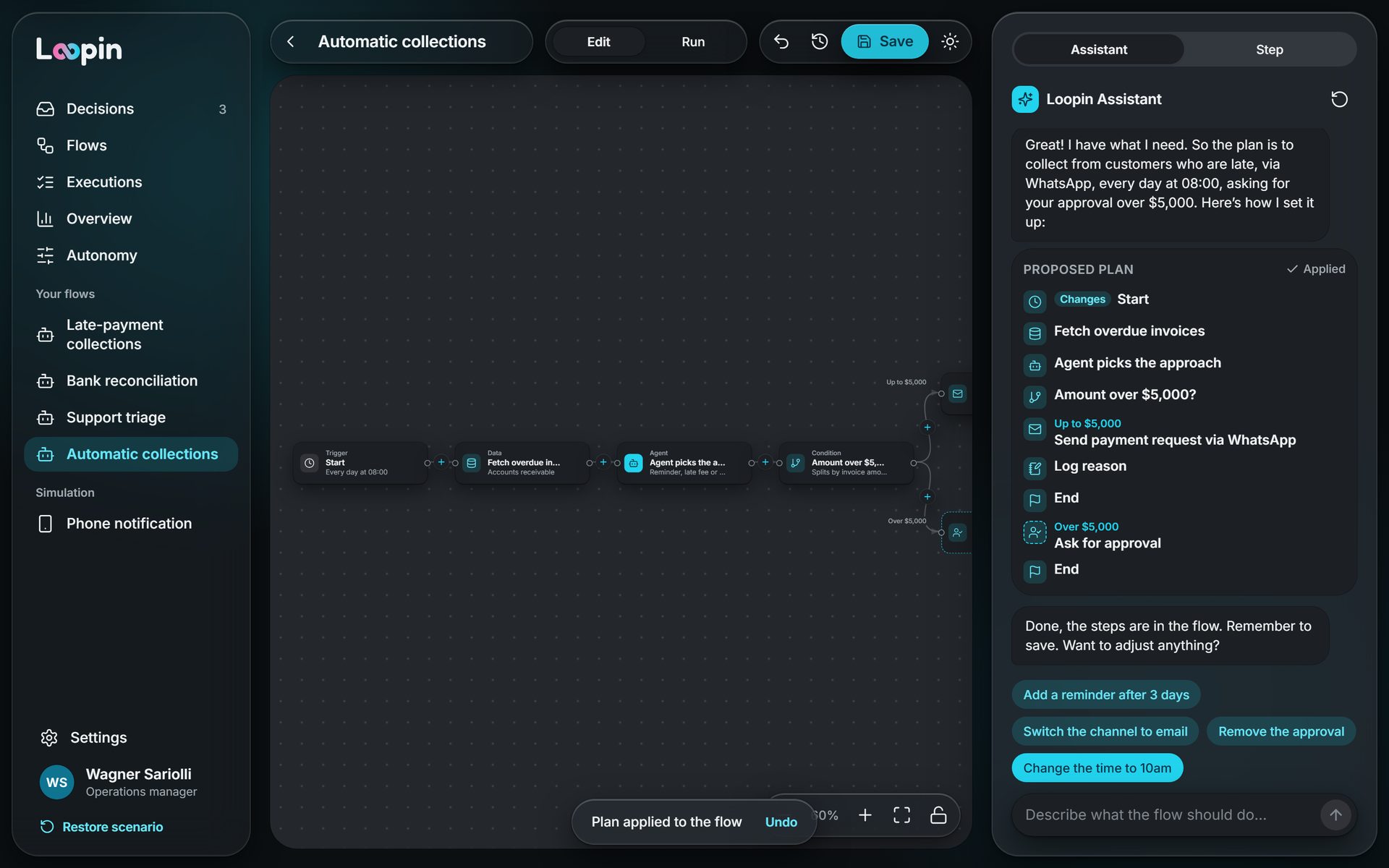
Describe it, and the flow builds itself
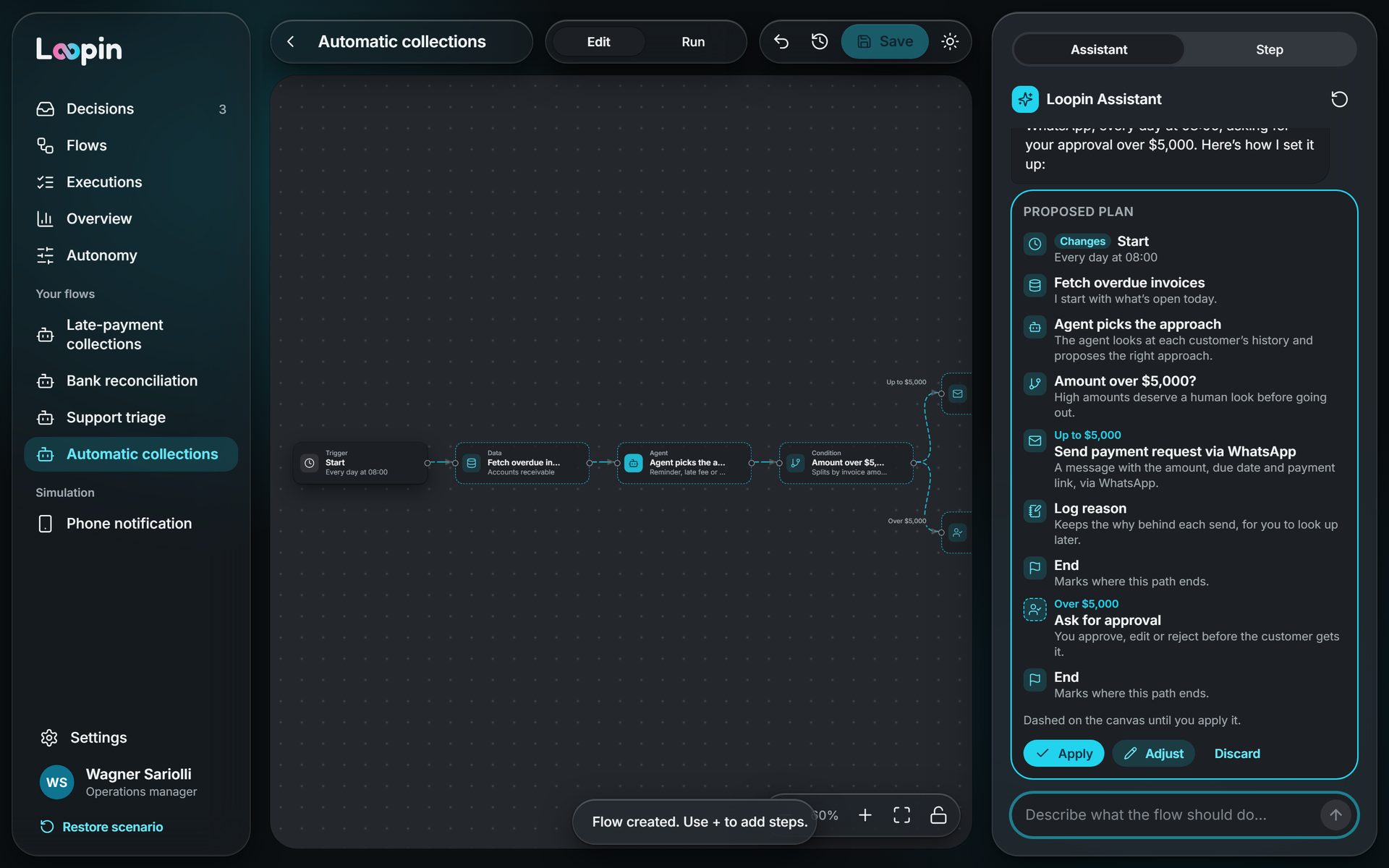
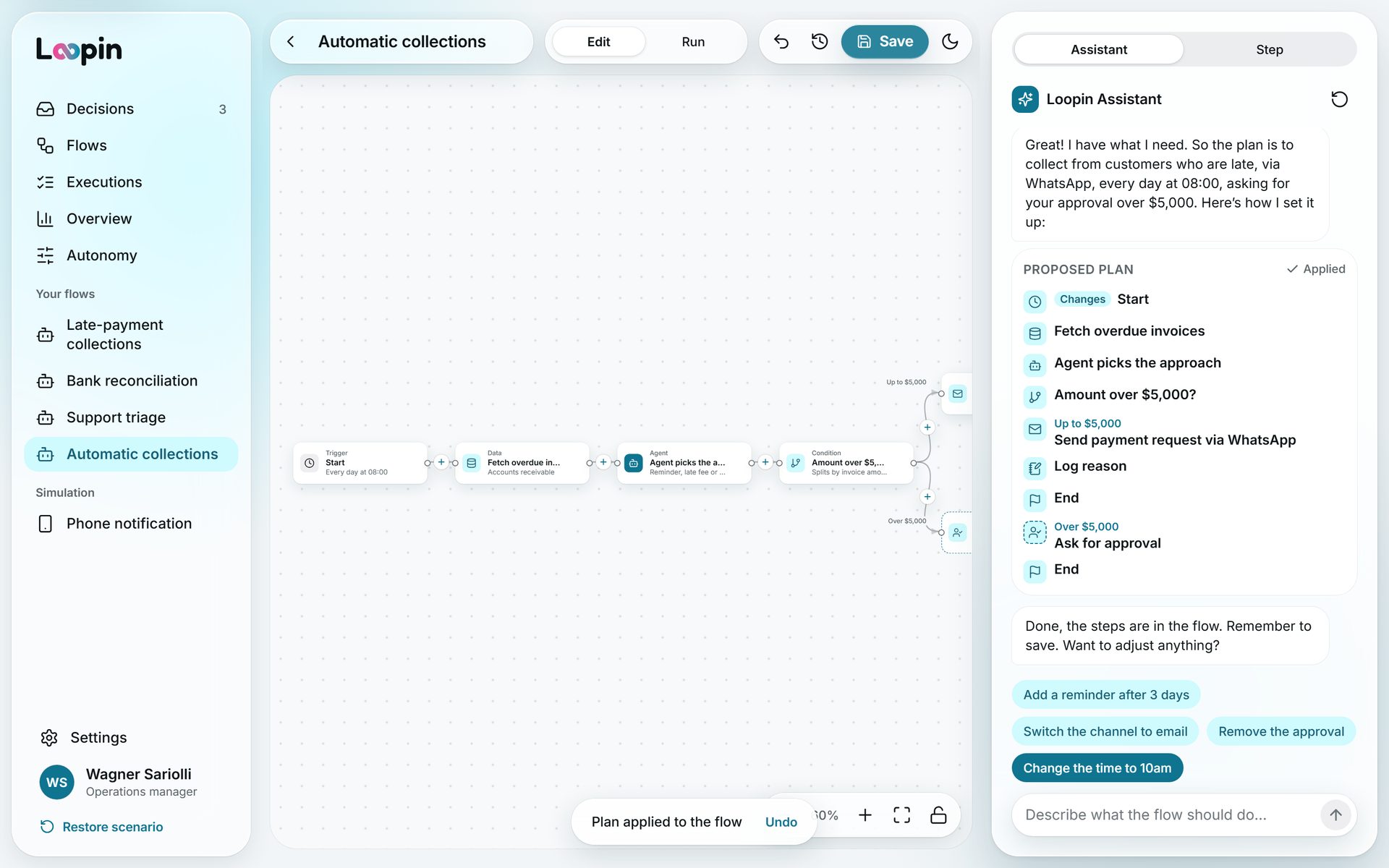
One sentence with the goal, the channel, the time and the amount limit becomes a complete flow on the canvas, dashed until you apply it.
- Plain language, no nodes or parameters
- The plan shows up before the flow changes
- Adjust by talking: “switch to email”
- Approval limit right in the request
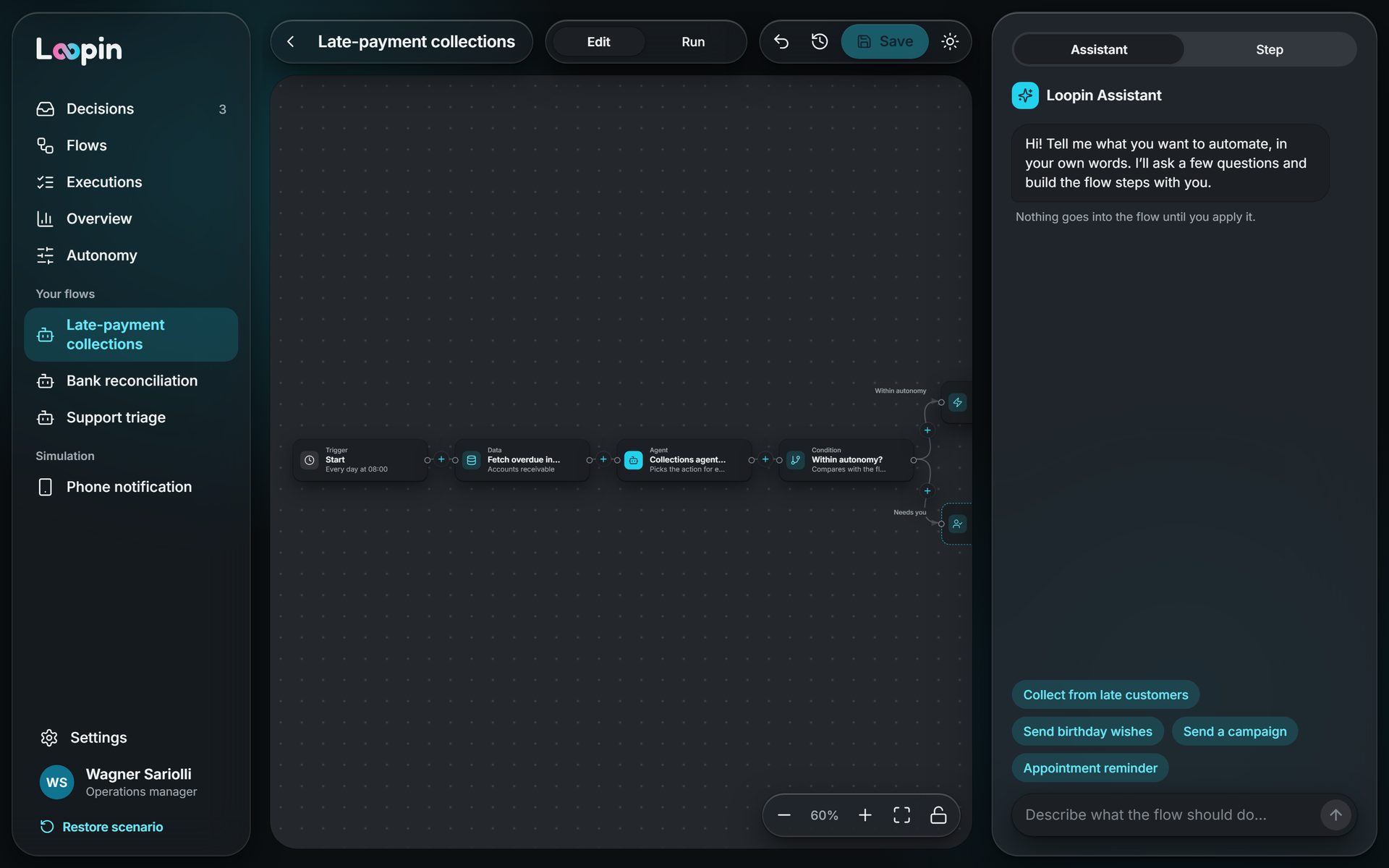
From request to finished flow
The proposed plan, the applied plan and the full collections flow in the editor.
Use Loopin for real
Click the frame and browse full screen: approve, reject, change the autonomy and undo. It opens in dark mode, and light mode is one click away, in the top bar.
- Queue, flows, runs and overview
- Dark by default, light one click away
- In Portuguese and English
- From phone to desktop
The agents work, you decide
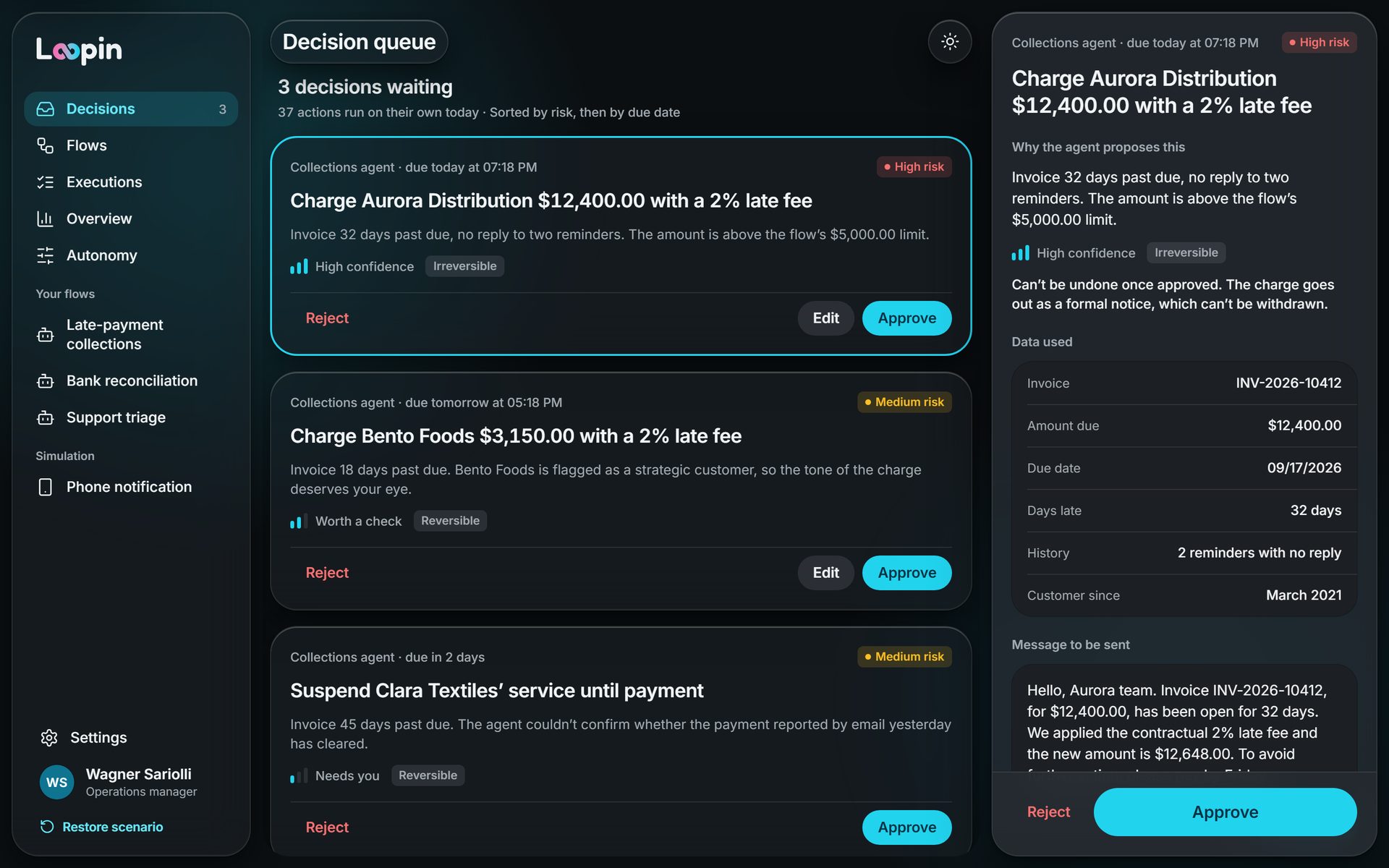
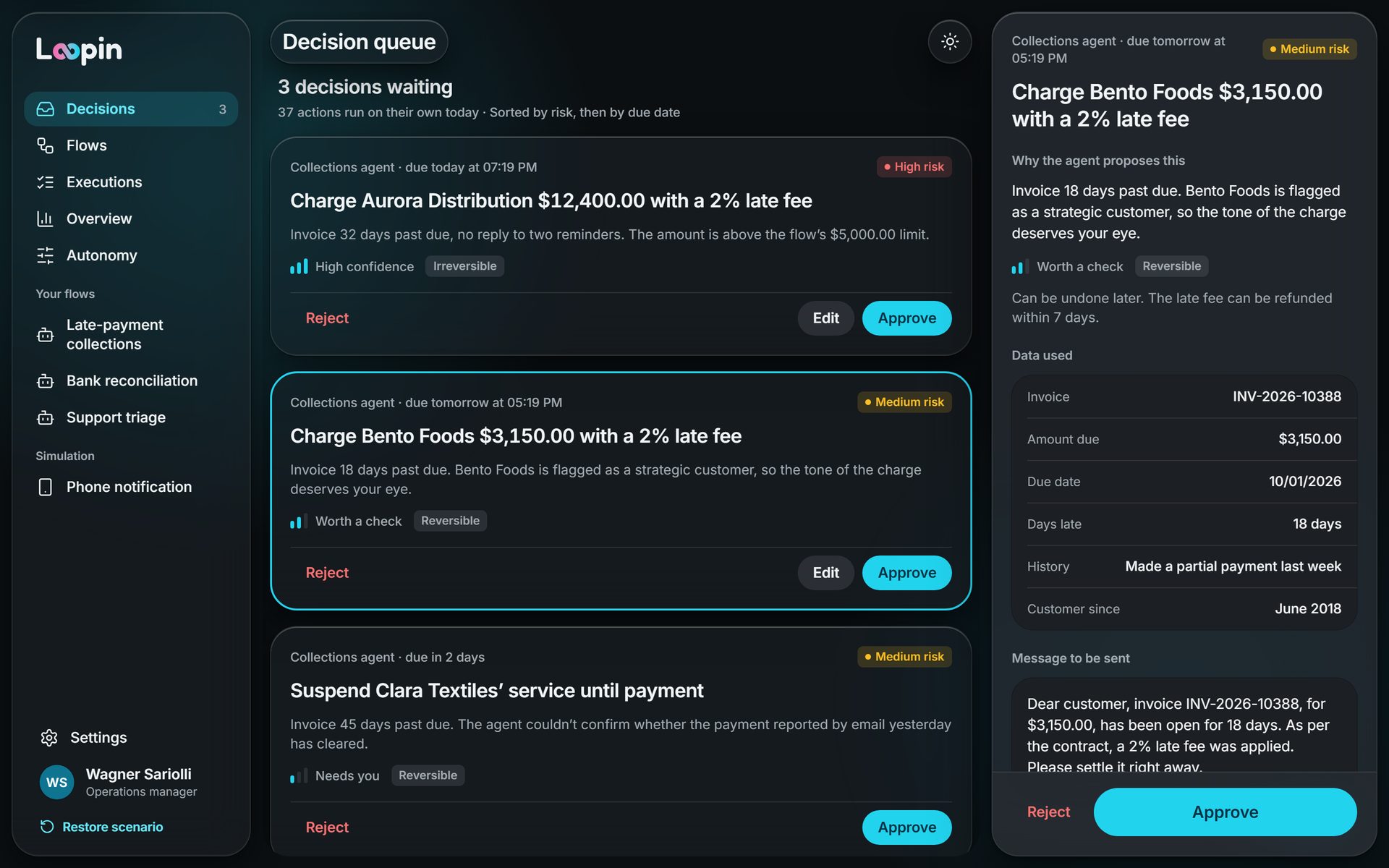
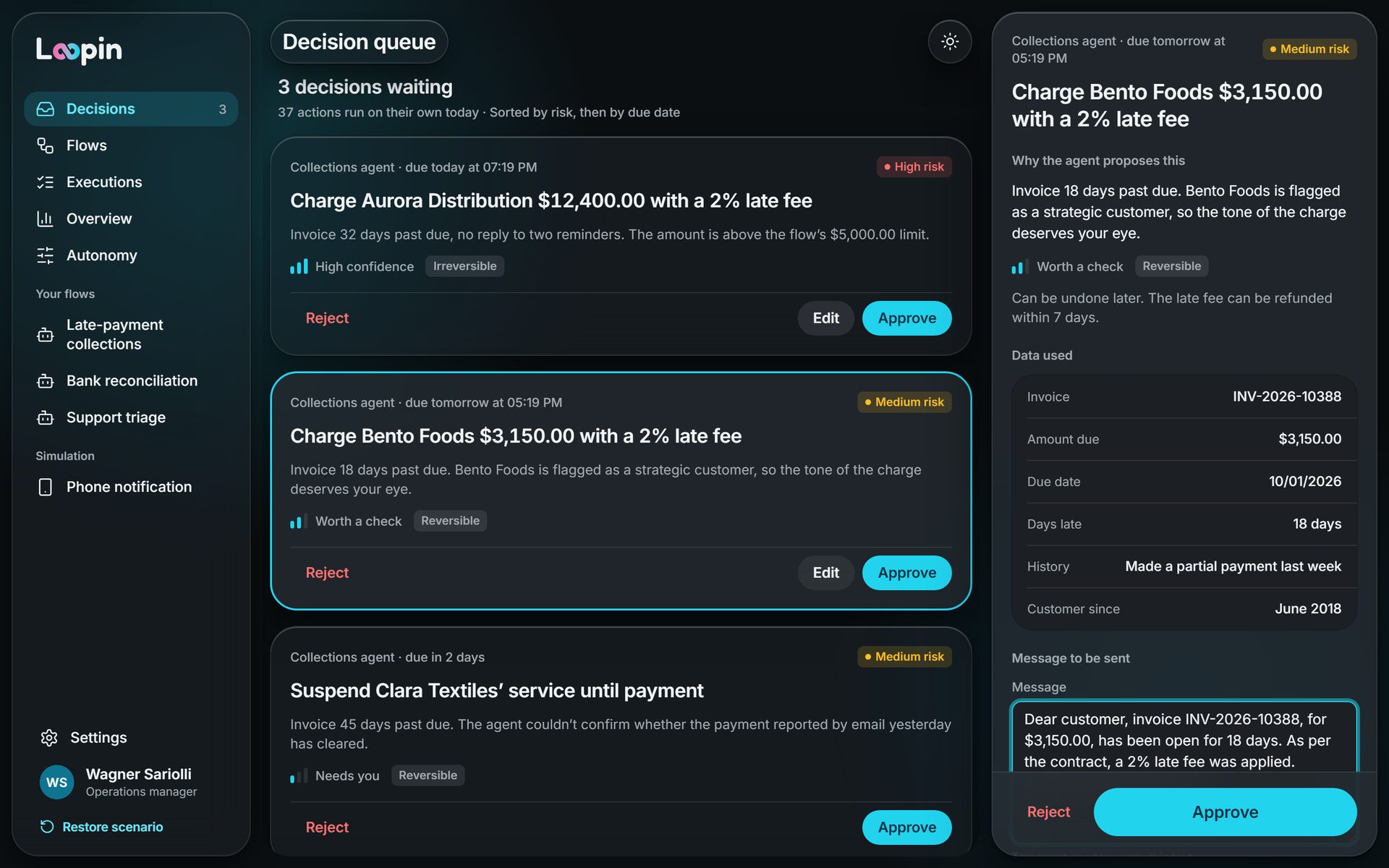
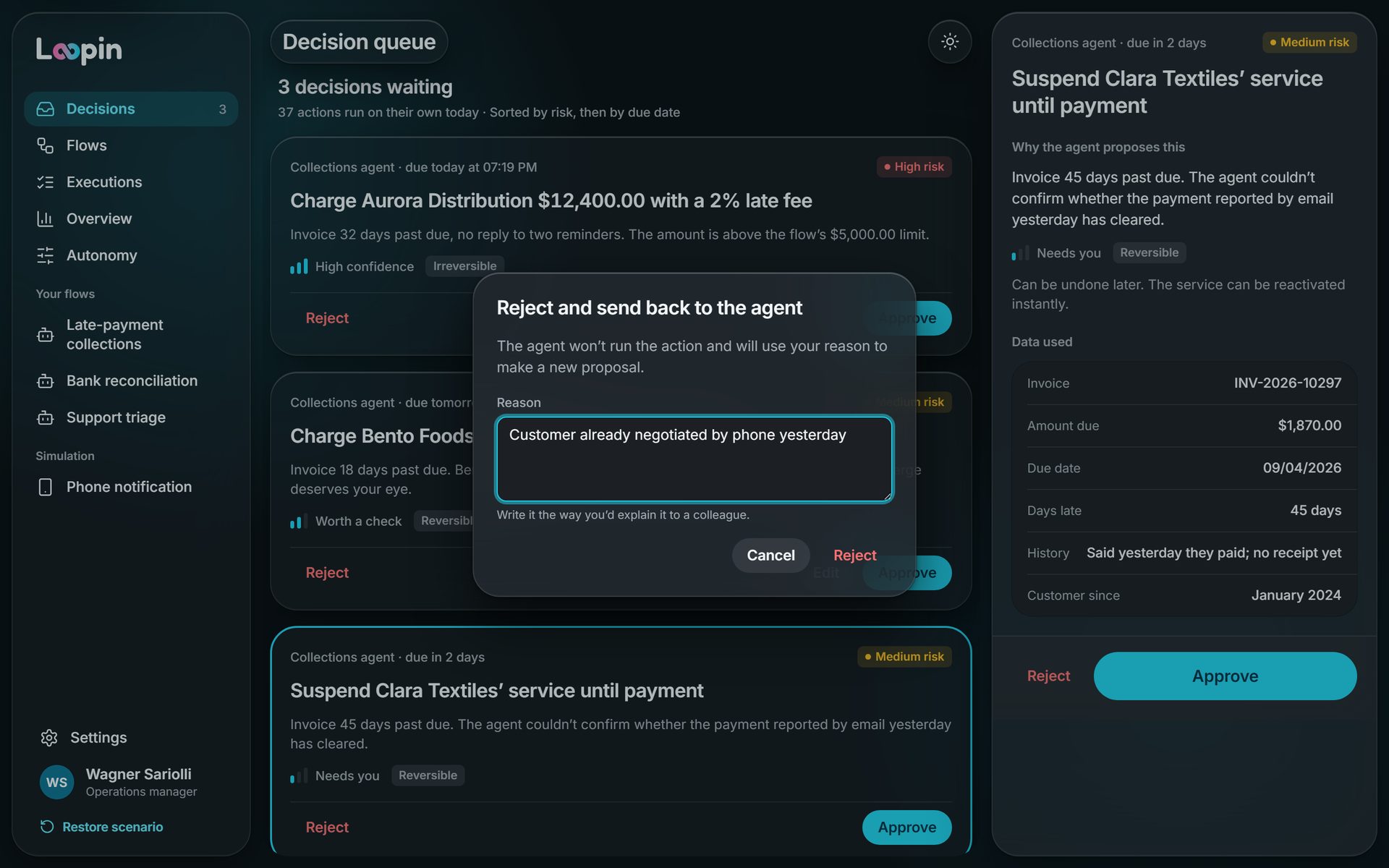
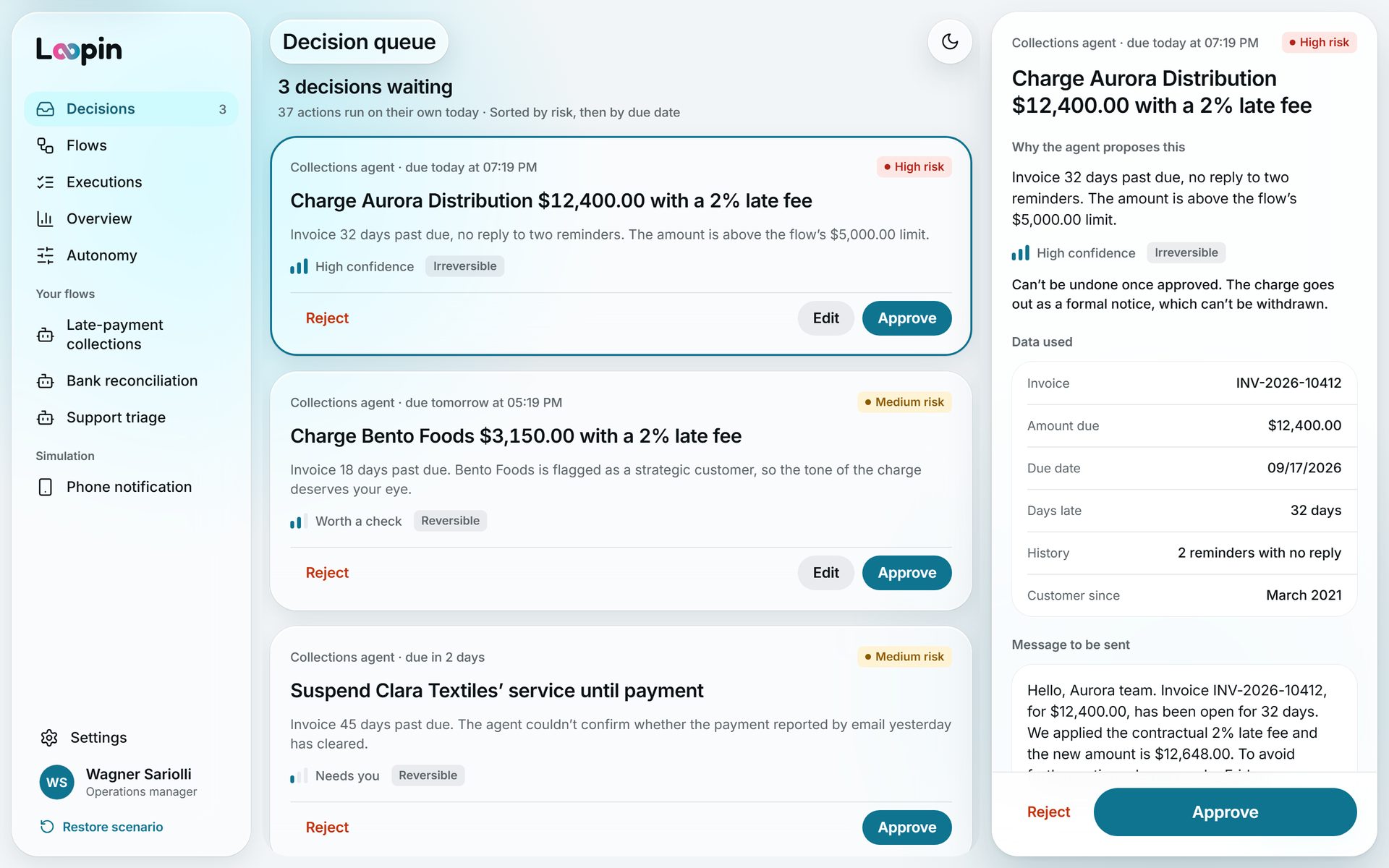
Of the day’s 40 overdue invoices, 37 went out on their own. Only 3 reach the queue, sorted by risk and deadline, each written in business language.
- Approve or reject without leaving the queue
- Confidence in three bands, not in %
- Extra confirmation when there’s no way back
- Rejecting asks for a reason for the agent
decisions settled with no one
Only the high amount, the strategic customer and the low confidence call for a person, with everything they need on the same screen.
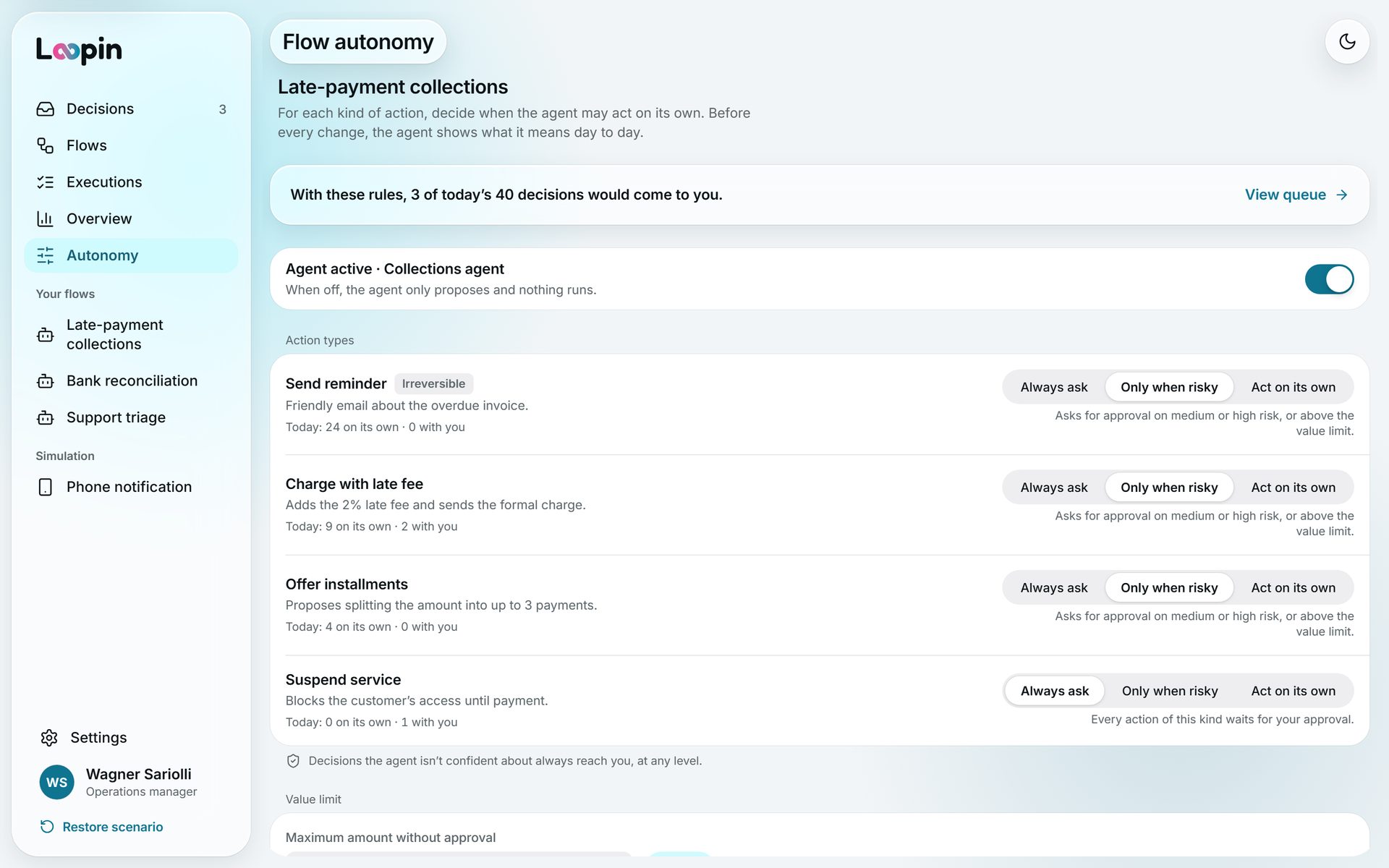
You set how much the agent decides
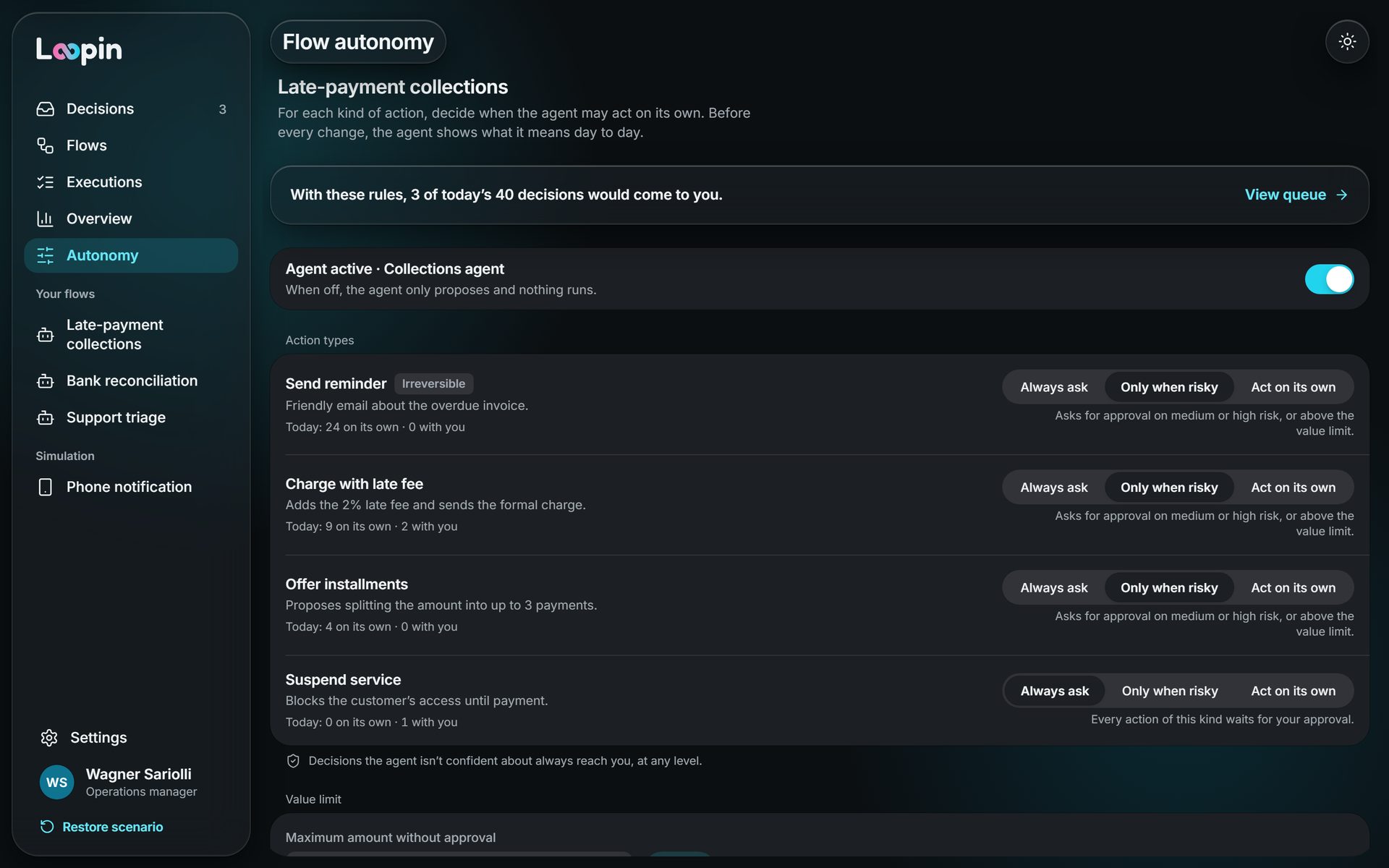
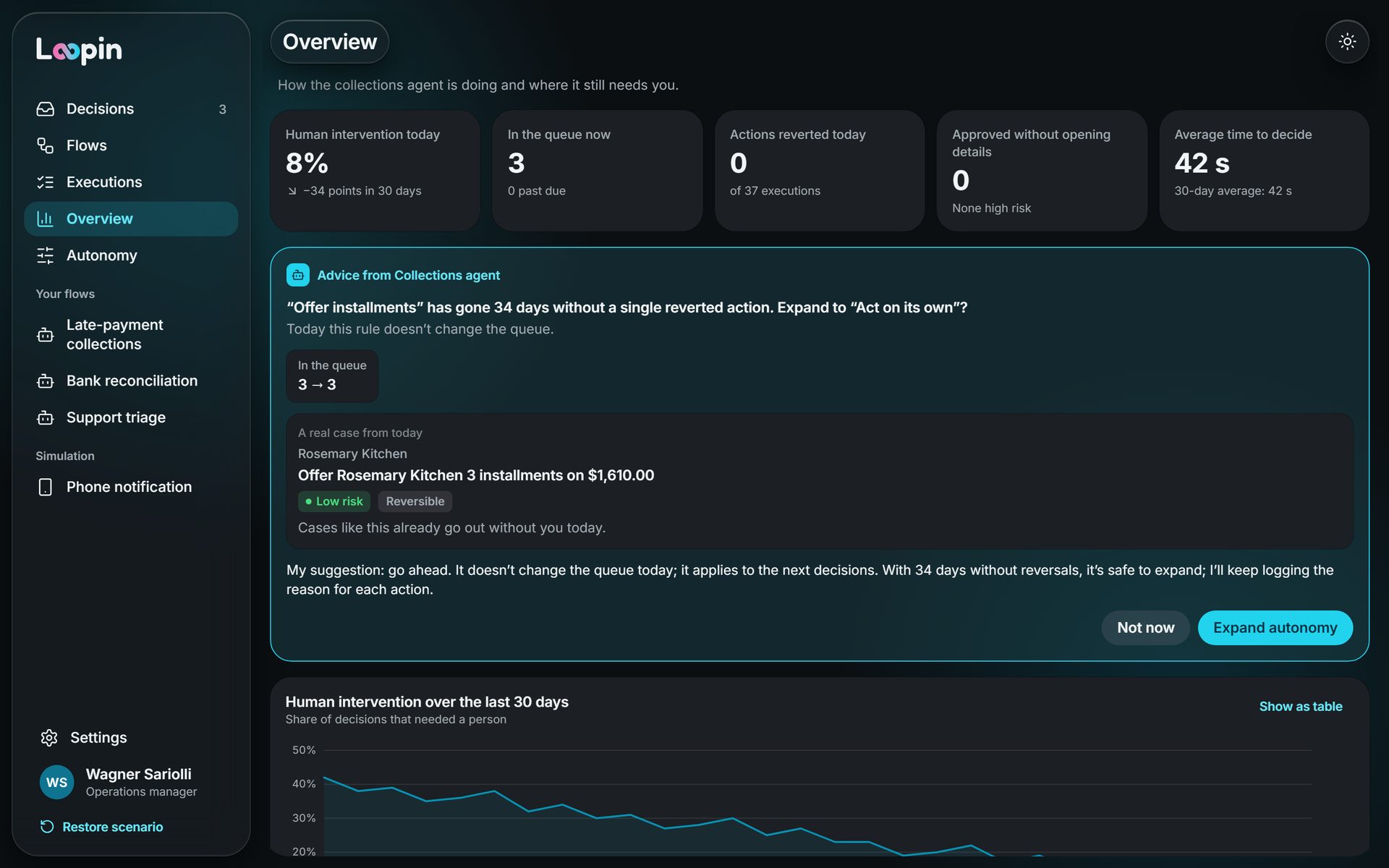
For each kind of action: always ask, ask only when risky, or act on its own, with an amount limit. Before saving, Loopin shows how many of today’s decisions would come to you.
- Autonomy per kind of action
- Amount limit per flow
- Preview of the impact on the queue
- Suggests more autonomy as the agent gets it right
Every action has a why, and a way back
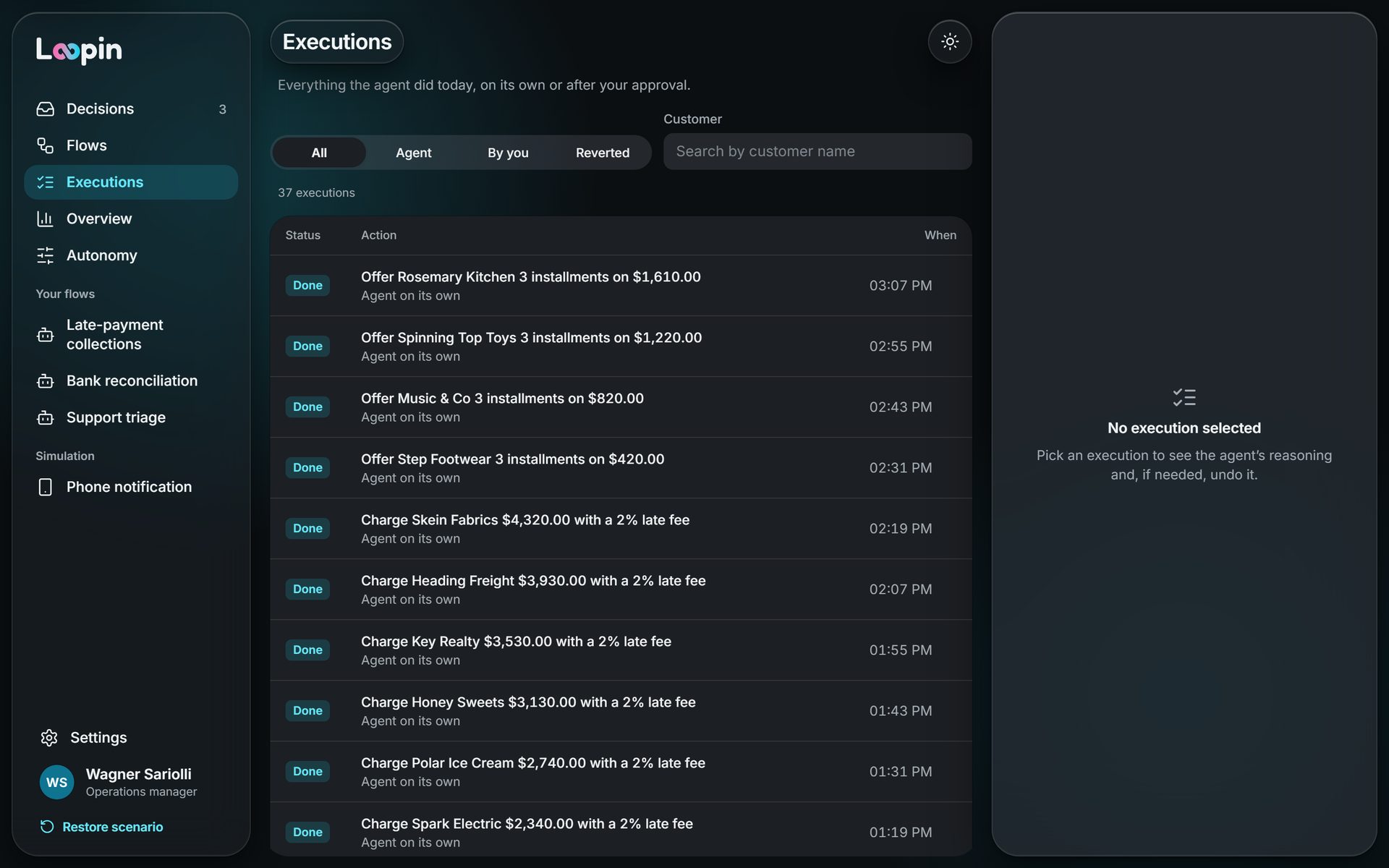
Every run shows the agent’s reasoning, step by step. If something went wrong, the person undoes it and teaches the agent not to repeat it.
- Reasoning timeline
- Undo and correct
- A new rule for the agent
- What can’t be undone is clear beforehand
Decide from wherever you are
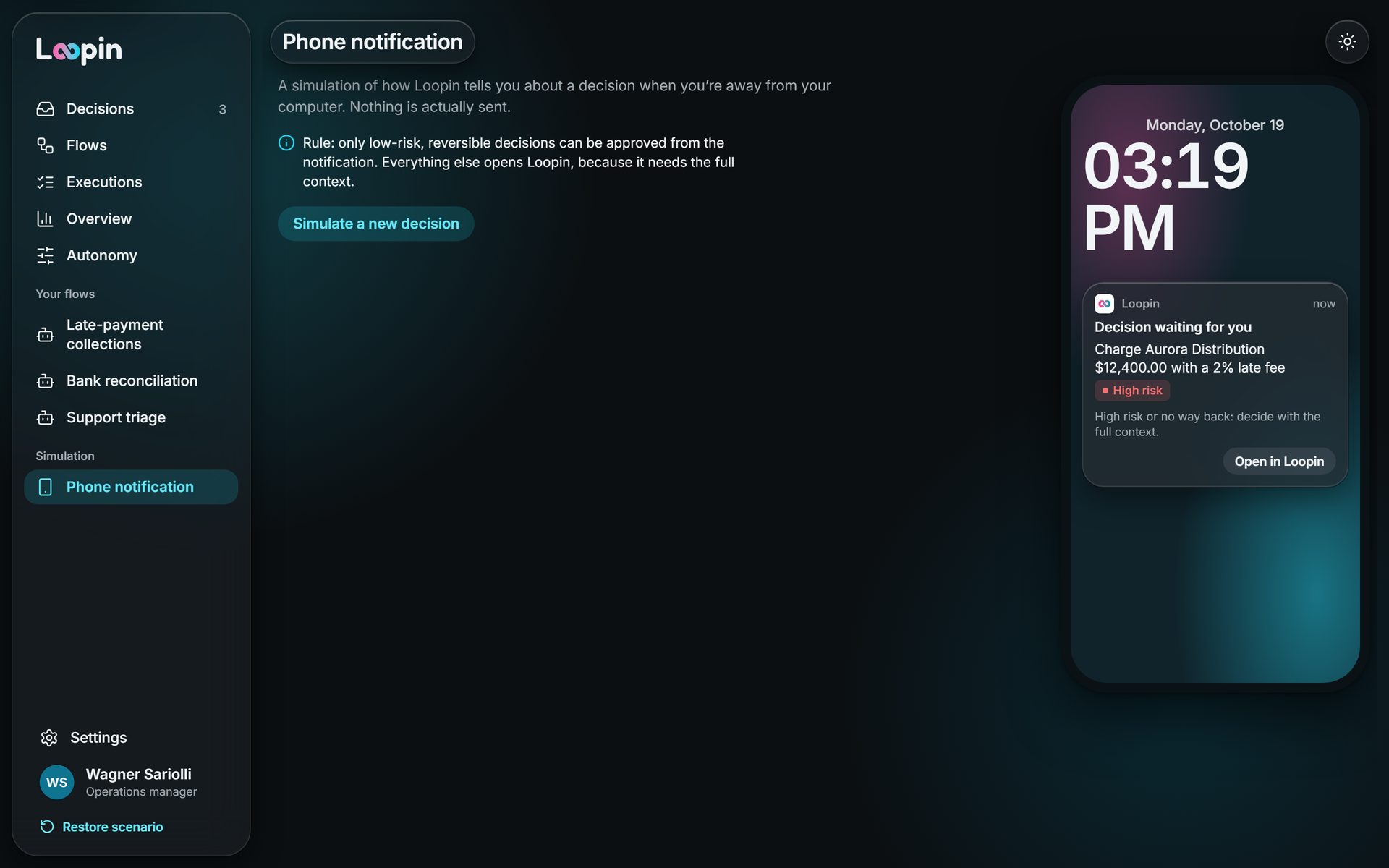
The overview shows where the agent still needs people, and simple decisions can be approved from the phone notification.
Its own design system, in dark and light
The iPadOS and iOS 26 language adapted to the product: a floating sidebar, a toolbar in glass capsules, an inspector on the right and Loopin cyan. Drag the bar to compare.
- Tokens for light and dark
- Confidence and risk badges
- Decision card and autonomy control
- Accessible, keyboard-friendly components
The same product, in light mode
Every screen works in both themes, from 375 px to 1440 px.
Research
What the market already solves, and what’s missing
Eight tools already supervise AI agents, on three levels. None brings the three together simply for people outside IT.
- Level 1
Approve before
The agent pauses and a person approves the action.
- n8nApproval per tool, not for the whole flow
- Relay.appReview only when needed, with four clear outcomes
- Zapier AgentsA log that shows the why of every action
- UiPathEscalates to a person when confidence drops
- Level 2
Review after
Someone checks the quality of what the AI already did.
- Intercom Fin MonitorsRule-based sampling, with its own scorecard
- Salesforce AgentforceFrom the overall metric down to one session’s trail
- Level 3
Govern
The whole company’s agent inventory. It stays outside Loopin.
- ServiceNow AI Control TowerEach agent has a human manager
- Microsoft Agent 365Central registry, flagging agents with no owner
The gaps Loopin fills
- Technical languageTools show tool names and parameters. The operator needs to read “charge customer X $1,200 for being 15 days late”.
- Fixed autonomyApproval is set once, on the flow. Autonomy should grow as the agent gets things right.
- UndoNone of the tools shows a clear path to reverse a wrong action.
- Approving without readingNo one handles the risk of people approving everything on autopilot.
Decisions
The choices that shaped Loopin
Each decision weighed real options. These are the ones that changed the product the most.
Approve per action, not per flow
Approving the whole flow makes a long, tiring queue; approving nothing breaks trust.
- DiscardedApprove the whole flowThe queue grows and people stop reading.
- DiscardedAgent always on its ownFast, but no one knows what happened.
- ChosenAutonomy per kind of action and riskThe person sets the limit and sees the impact on the queue beforehand.
Confidence in words, not in %
“82%” looks too precise, and few people know what to do with the number.
- DiscardedConfidence percentageFalse precision, hard to act on.
- ChosenThree bands in plain languageHigh certainty, worth a look, needs you.
Against approving on autopilot
If everything asks for confirmation, people click without reading.
- DiscardedConfirm everythingOne more click becomes habit, not attention.
- ChosenExtra confirmation only when there’s no way backAnd Loopin measures how many approvals go out without opening the detail.
Make clear what can be undone
A sent email doesn’t come back. People need to know that before approving.
- DiscardedOne generic undo for everythingPromises what the system can’t deliver.
- ChosenReversible or not, in sight before decidingUndo what can be undone; log the mistake for what can’t.
Impact
How I measure Loopin’s success
Loopin works when the queue stays short and trust grows. These are the signals I track.
- Less human intervention over time, with no rise in mistakes
- Decisions made in seconds, not minutes
- Few high-risk approvals without opening the detail
- Mistakes found before the customer does, and fewer undone actions
- More flows with wider autonomy: trust growing
Learnings
What this project taught me
- AI as a design toolWith Claude Code, Loopin became a prototype that behaves like the product: you can really approve, reject, change the autonomy and undo. Testing the decisions live surfaced problems that static screens hide.
- Trust is designed tooShowing the why, the confidence and the way back mattered more than any new automation. Without them, people go back to approving everything.
- Less is the metricLoopin succeeds when the queue stays short. Every screen is built for people to decide fast and get back to what matters.
Keep exploring
More work
More case studies, from management systems to apps. Drag sideways or use the arrows.